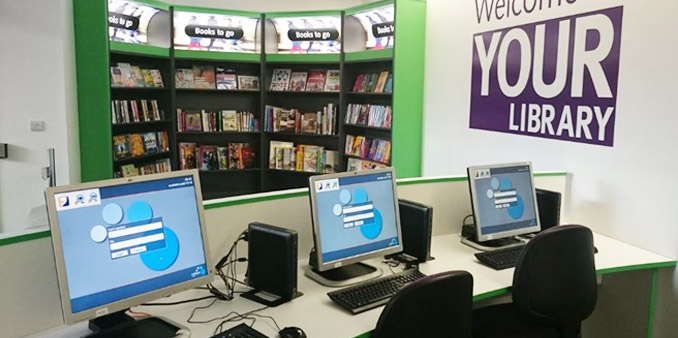
Self-service PC booking and printing options are coming soon, adding further to the modern experience with the installation of new kiosks. Users will also be able to print from their own devices with the launch of Netloan Wi-Fi printing. Library staff are excited by these important changes.

Netloan is designed to help library users get on to PCs quickly and easily and make the most of their visits. Self-service and efficiency is key.
Libraries manage access with the following options:
Once on PCs, users have a clear countdown clock and on-screen
notifications. So they stay aware of how much session time is left and can opt to self-extend their sessions when offered.
Read more about the wide range of PC session management controls in Netloan here

A fully integrated solution is available for managing desktop and wireless printing. For users the print process is intuitive and simple, while staff are able to release jobs with minimal clicks from the web-based admin screen. They can easily redirect or reprint pages.
The Netloan virtual printing system increases reliability by creating greater compatibility between print jobs and printers. Printers and pricing are easily managed in the admin web interface for light administration.
Self-service print payment and release options are available from the kiosk and widely used across public library authorities – read more on this below.
Find out more about:
Desktop print management
Wireless printing

Remove the administrative overheads from print payment and release with Netloan integration on self-service payment kiosks.
It gives users confidence to manage their print jobs and make payment at a familiar service point. The integration on Bibliotheca RFID kiosk units
enhances the user experience with the convenience of carrying out both book and PC related transactions in one place.
Find out more about Netloan self-service options on the selfCheck kiosk here
Discover More

All sessions and bookings begin by authenticating users to the Library Management System (LMS), so all PC usage is identified and tracked. If the
LMS is down for any reason, a cached mode continues to allow authentication.
Netloan SIP2 connectors are available for all major LMS systems. Netloan has also begun to provide LCF connectors – contact us to find out more.

Control maximum sessions and minutes per user, with restrictions also
possible around future reservations (e.g. how far in advance). Grace periods and screen locking management can all be detailed in the set up.
At the end of each session, Netloan automates a full log off between users. Group bookings are easy to administer, with options around user log ins.
If needed, users can be suspended from using PCs or printing in Netloan administration control.

Netloan is a web-based system, all staff and admin functions for all library sites are accessible via the same single web-browser. That’s all bookings, print release, printer management, reporting and all other admin tools in one place, accessible via any device!
Admin tools include opening hours, PC shutdown, broken PC management, messaging, interface customisation, user credit balance, and much more…

Data management is made easy with the retention policy tool in Netloan. Configure it to your library’s needs and it ensures personal data is
maintained and cleansed to meet GDPR.
Service usage data provides a comprehensive suite of reports. It provides managers with measurement and insight into service use to help manage resourcing and maintain high service standards.

As libraries look to leverage the latest technologies and streamline support, Netloan maintains compatibility with the required operating systems and deployment methods.
Contact us today for full system requirements and any other advice for planning your PC booking solution installation.